
Your screen. Your eyes only.
NoPeek watches your Mac's camera so you don't have to — alerting you the moment someone peeks at your screen. 100% on-device. Zero data collected.
One-time $9.99. No subscription. Prefer direct? Free on Gumroad or Paid on Gumroad.
See It in Action
Always watching. Always discreet.
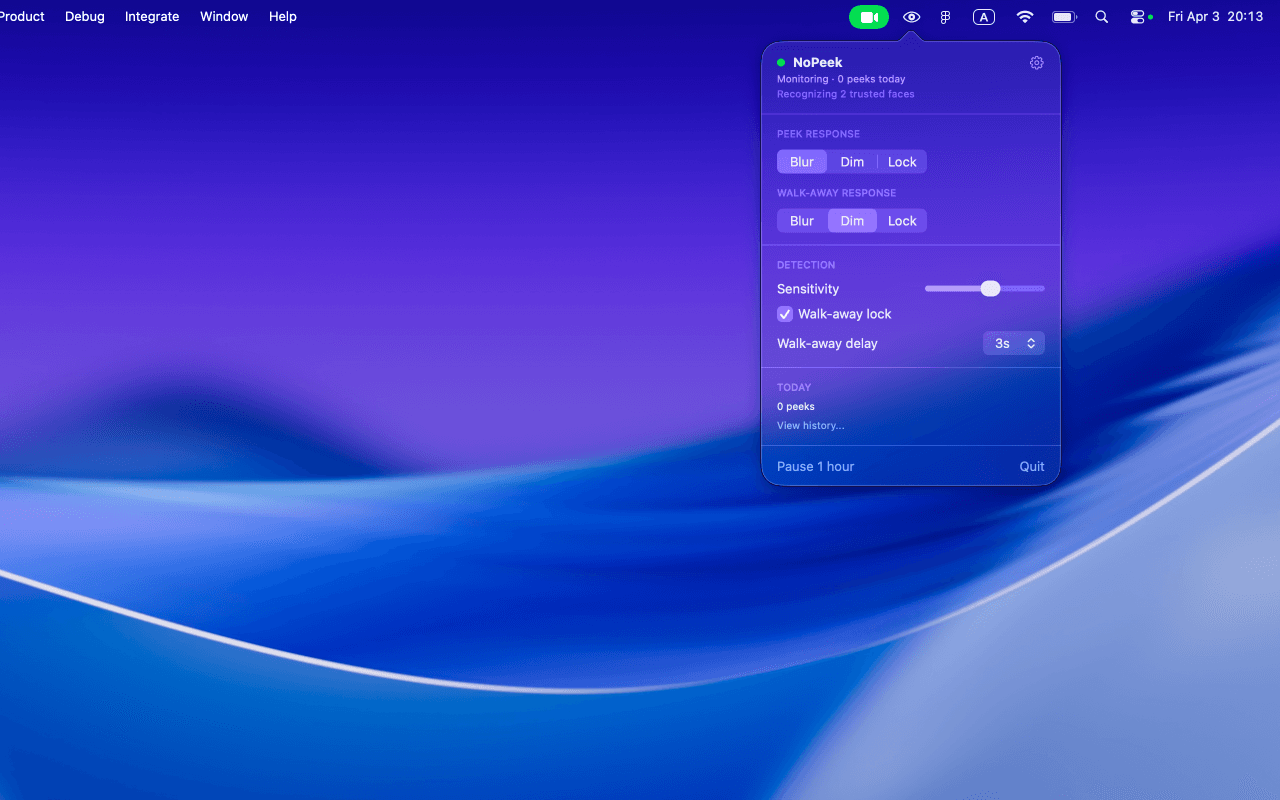
Menubar controls — everything at a glance
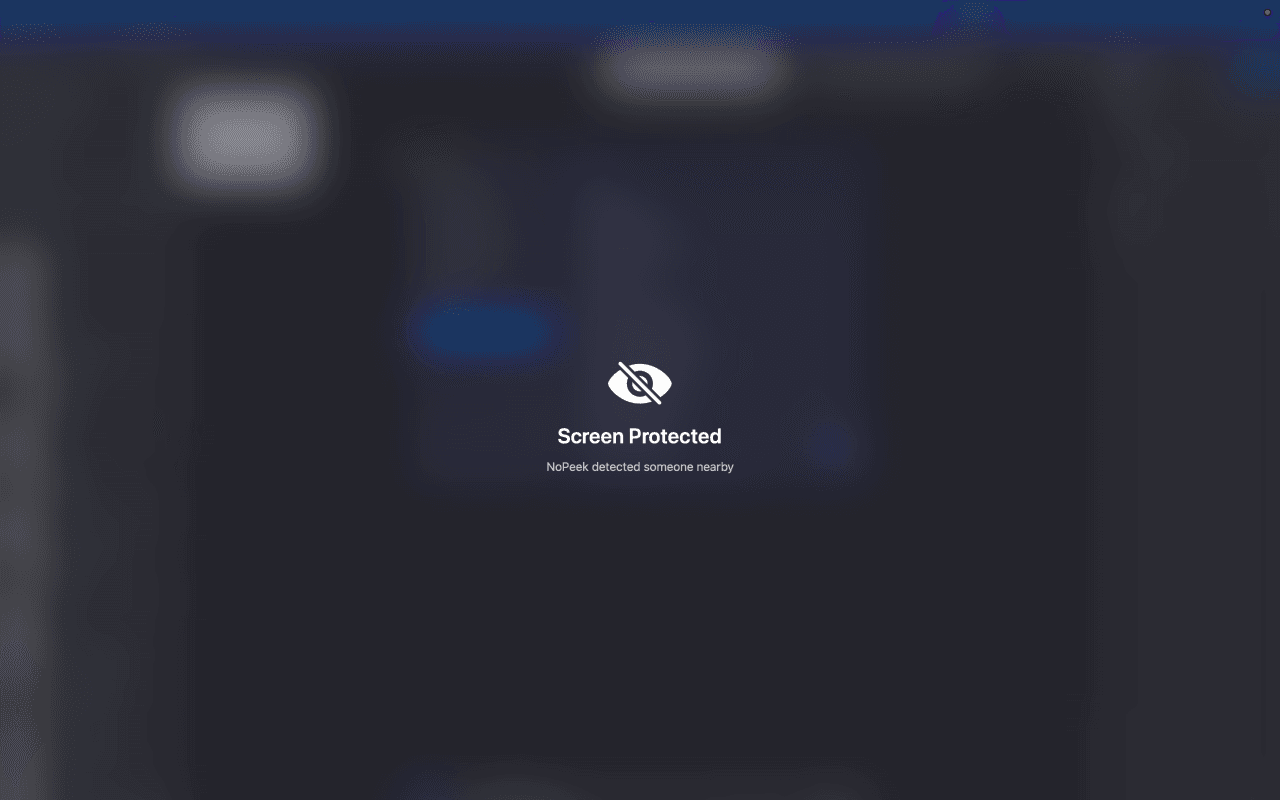
Blur mode — screen protected instantly
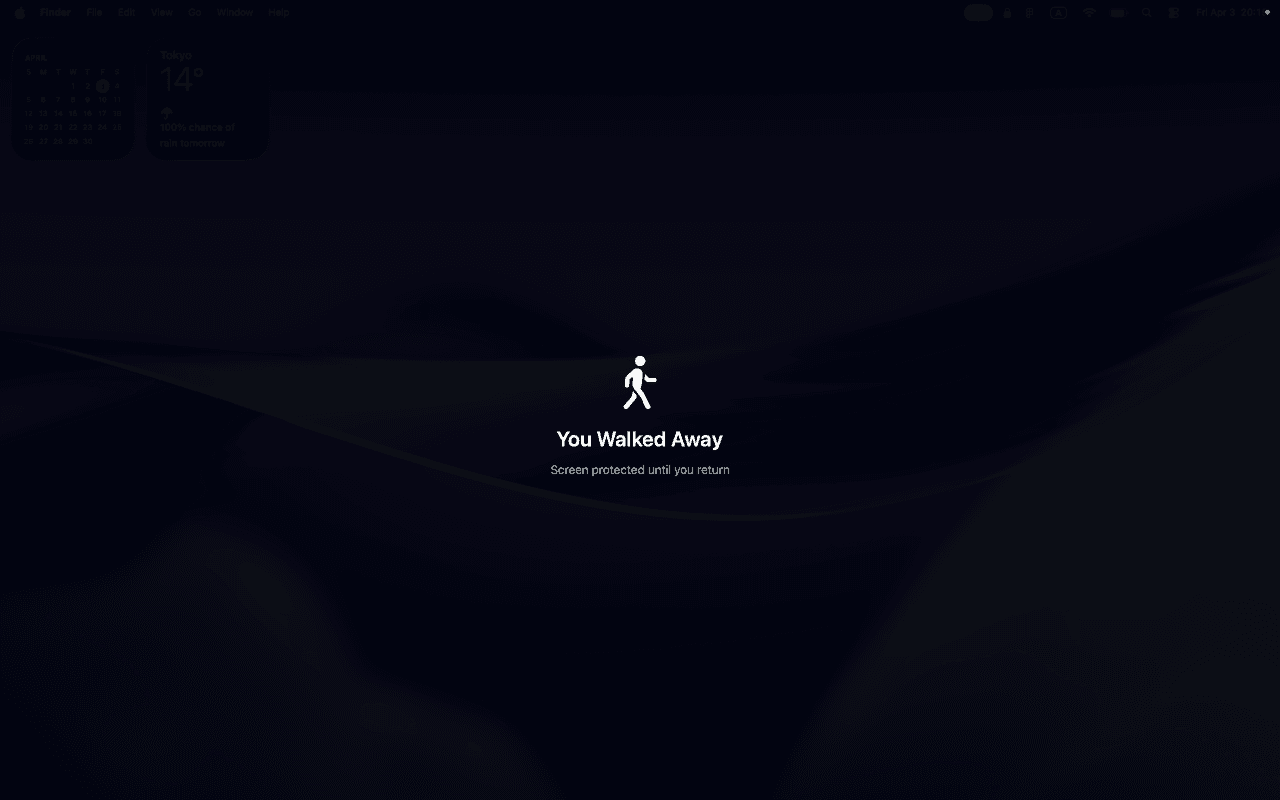
Walk-away detection — protected until you return
How It Works
Three steps. Zero effort.
NoPeek watches
Uses Apple’s Vision framework to detect faces and gaze direction via your front camera at ~10fps. Runs on the Neural Engine — no CPU drain.
Peek detected
Only triggers when someone is actually looking at your screen — not just nearby. Trusted Faces are ignored automatically.
Screen protected
Blur, dim, or lock your screen. Clears automatically when the threat is gone. You never have to lift a finger.
Core Features
Always free. Always protecting.
A free version with core detection and blur protection is available on Gumroad.
Real-time face detection
Powered by Apple Vision framework at ~10fps on the Neural Engine
Gaze direction analysis
Only triggers when someone is actually looking at your screen
Blur protection mode
Instantly blur your entire screen when a peek is detected
Menubar-only app
Lives in your menubar — no dock icon, no distraction
4-step onboarding
Quick setup with live camera preview to get you started
Zero data collection
No analytics, no tracking, no network requests — ever
Unlock with Purchase
Everything you need. $9.99 once.
Unlock every feature with a single $9.99 purchase — on the Mac App Store or direct via Gumroad.
Trusted Faces
Enroll up to 5 people — only alert on strangers
Dim protection mode
Adjustable opacity from 20% to 95%
Lock Screen protection
Send your Mac straight to the lock screen
Walk-away detection
Configurable 1s–10s delay before triggering
Separate protection modes
Different responses for peek vs walk-away scenarios
Peek history
Review past events with CSV export
Per-app sensitivity
Strict, Relaxed, or Disabled per application
Coming Soon
What's next for NoPeek.
These features are in development and will arrive in a free update.
Wellness
Posture reminders
Gentle nudge when you're slouching — helps you sit better throughout the day
Screen distance alerts
Warns when you're too close to the screen to reduce eye strain
Zero extra battery cost
Uses the same camera feed as peek detection — no additional resources
Battery Management
Performance mode
~10fps — fastest detection for maximum protection
Balanced mode
~5fps — good detection with lower power draw
Eco mode
~2fps — minimal battery impact, optional auto-pause on battery power
Auto-pause on lock
Camera automatically pauses when your screen is locked
Settings & Polish
Dialed in to the last detail.
Privacy Architecture
Your camera never leaves your Mac.
This isn't a marketing claim — it's the architecture. NoPeek makes zero network requests.
Pricing
Free forever. Or one price for everything.
The free version on Gumroad covers core detection and blur protection. Unlock every feature with a single $9.99 purchase — on the Mac App Store or direct via Gumroad. No subscription, ever.
| Feature | Free (Gumroad) | Paid ($9.99) |
|---|---|---|
| Face detection | Gaze-based | Gaze-based |
| Protection: Blur | ✓ | ✓ |
| Protection: Dim | — | ✓ |
| Protection: Lock Screen | — | ✓ |
| Trusted Faces (up to 5) | — | ✓ |
| Walk-away detection | — | ✓ |
| Peek history + CSV export | — | ✓ |
| Per-app sensitivity profiles | — | ✓ |
| Separate peek / walk-away modes | — | ✓ |
| Coming Soon | ||
| Posture reminders | — | ✓ |
| Screen distance alerts | — | ✓ |
| Power modes (Performance / Balanced / Eco) | — | ✓ |
| Auto-pause on battery (Eco mode) | — | ✓ |
System Requirements
macOS 14 Sonoma or later
Mac with front-facing camera
Optimized for Apple Silicon
Stop worrying about who's looking.
NoPeek protects your screen so you can focus on your work — not your surroundings.
Get on the Mac App Store — $9.99One-time $9.99. No subscription. Also available free or paid on Gumroad.